Expensefy
Track project spend on the card, not in a spreadsheet.
Track expenses directly on your Trello cards, keeping financial details organized without ever leaving your board.
- Log expenses on any card with categories and currencies
- Running totals on the card face and list header
- Budgets, recurring expenses and receipts on the line
- Board dashboard, charts and Excel export when you report
7-day free trial · No credit card to install · Cancel anytime
Expensefy on its own
or $49/year — save 32%
Using more than two Power-Ups? The All Power-Ups bundle is $12.99/month for every Power-Up we make — including the ones we release next.
A team of 2 or more? Cover your whole Trello workspace for $9.99/month with the Workspace plan — no per-seat counting.
Compare plans →- Unlimited boards and workspaces
- Per person, or one Workspace plan per workspace
- Cancel in one click, no contract
Expensefy (Expense Tracking, Budgets & Receipts on Trello)
Simply list your expenses and amounts
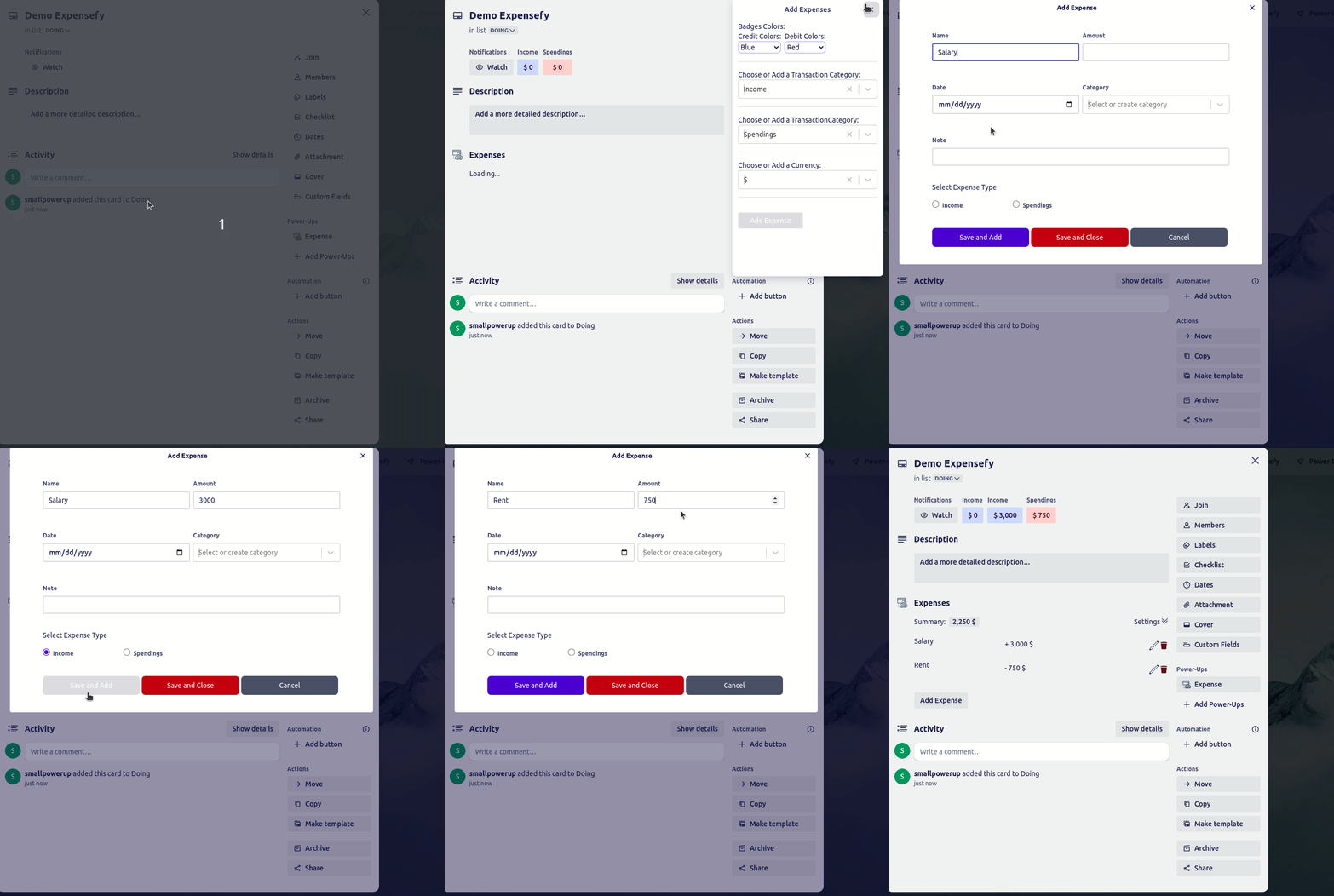
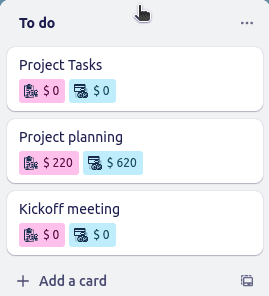
See your spending at a glance
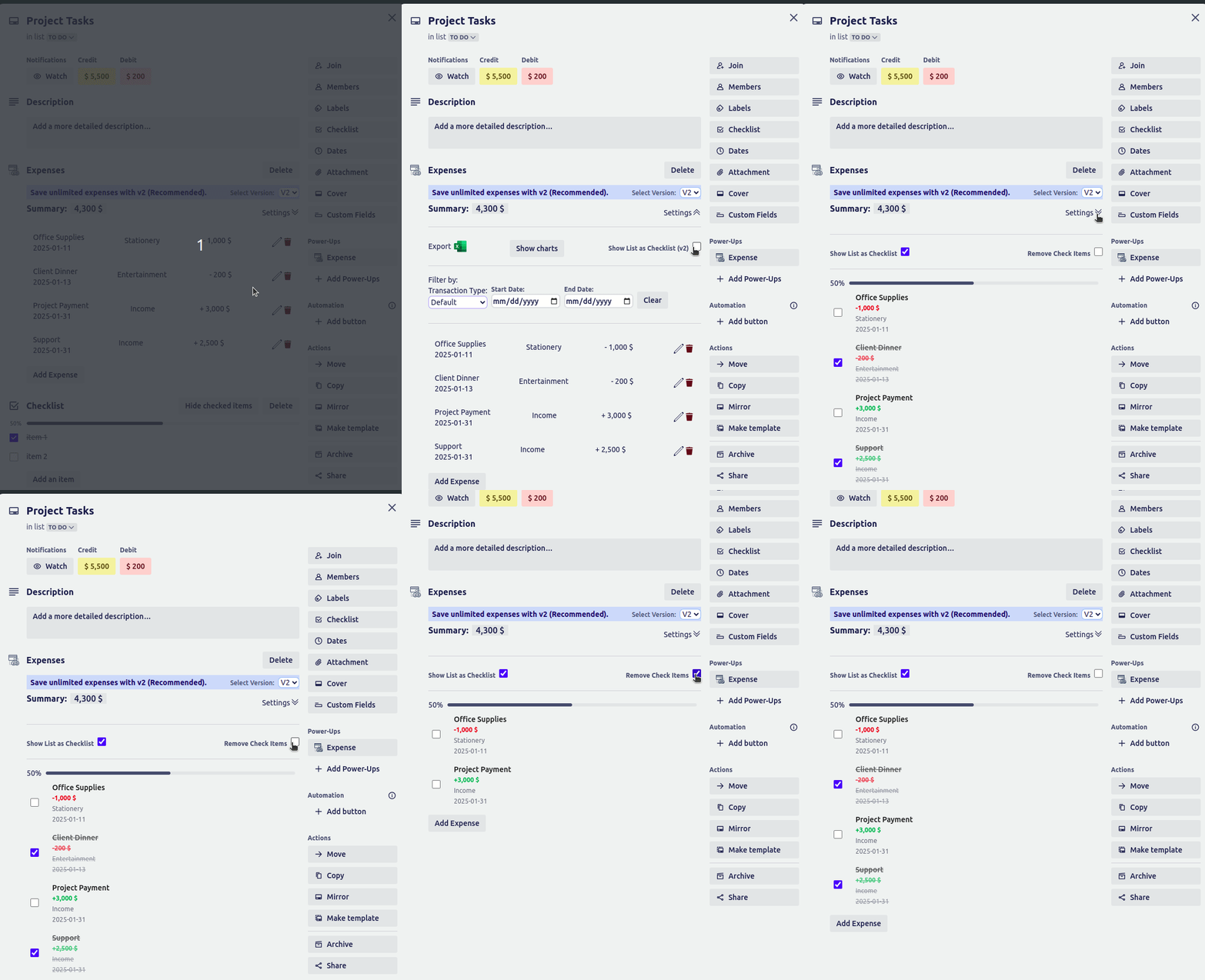
Track expenses as a checklist
Create your own expense categories
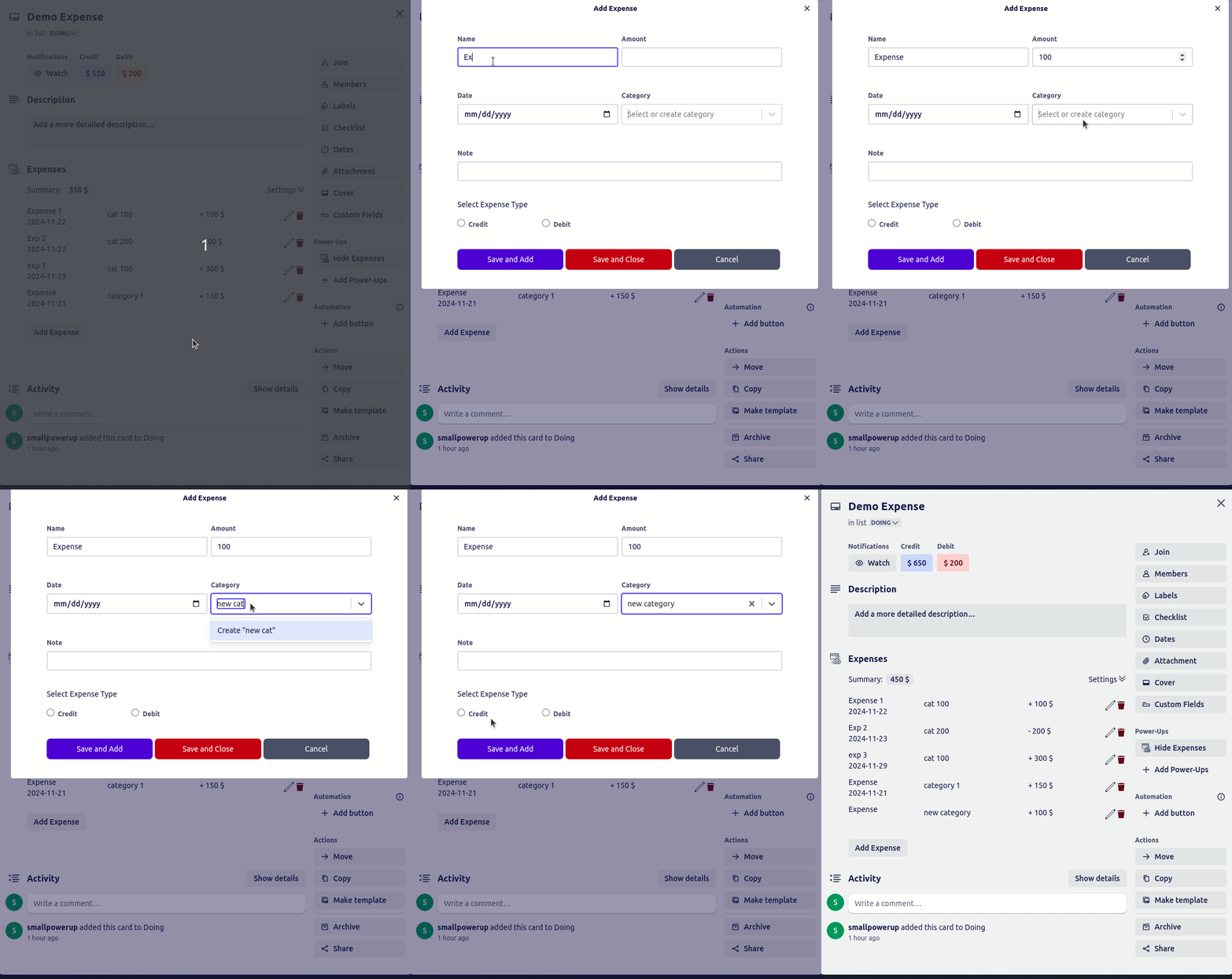
Call credit and debit whatever you call them
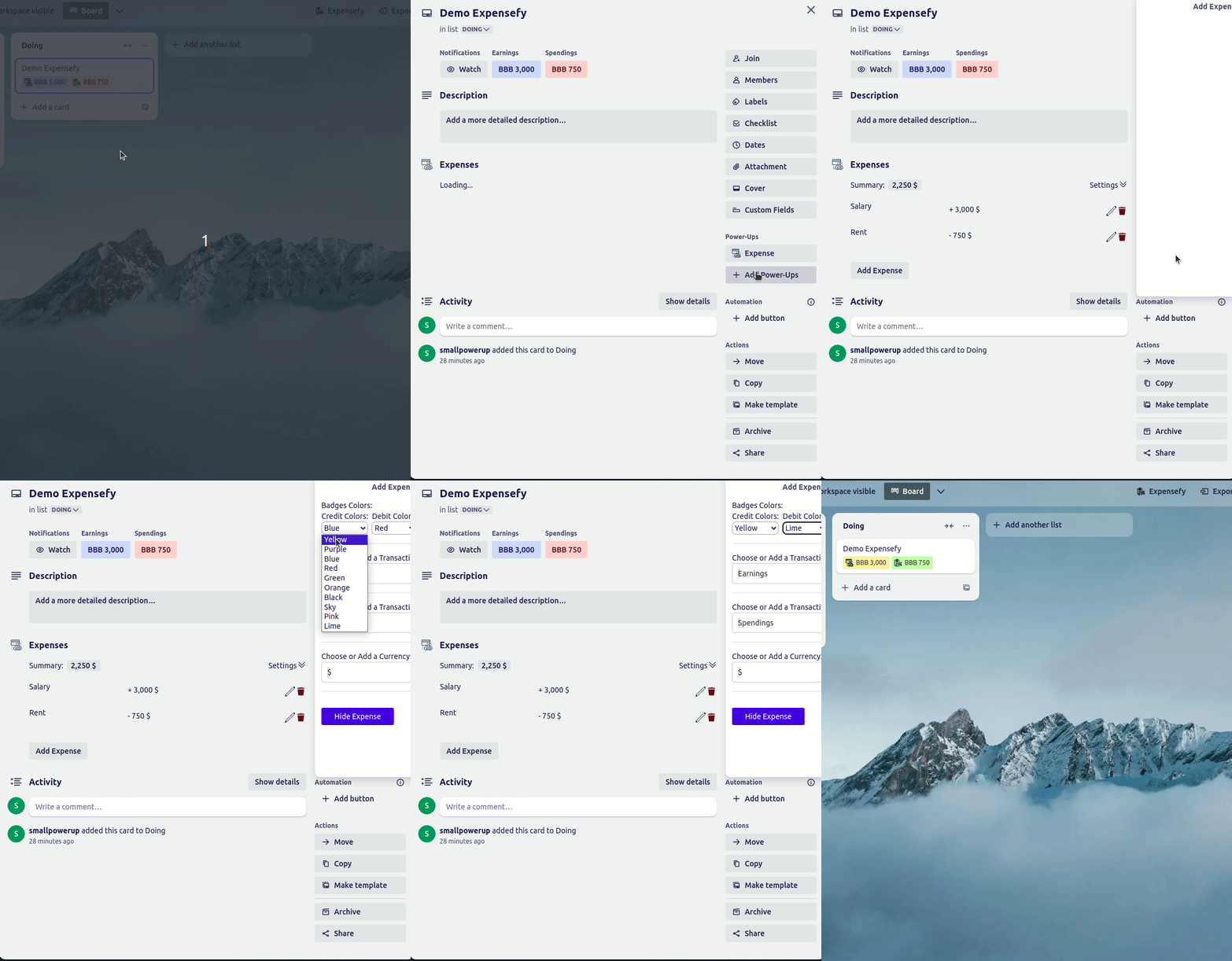
Assign custom colors to each expense
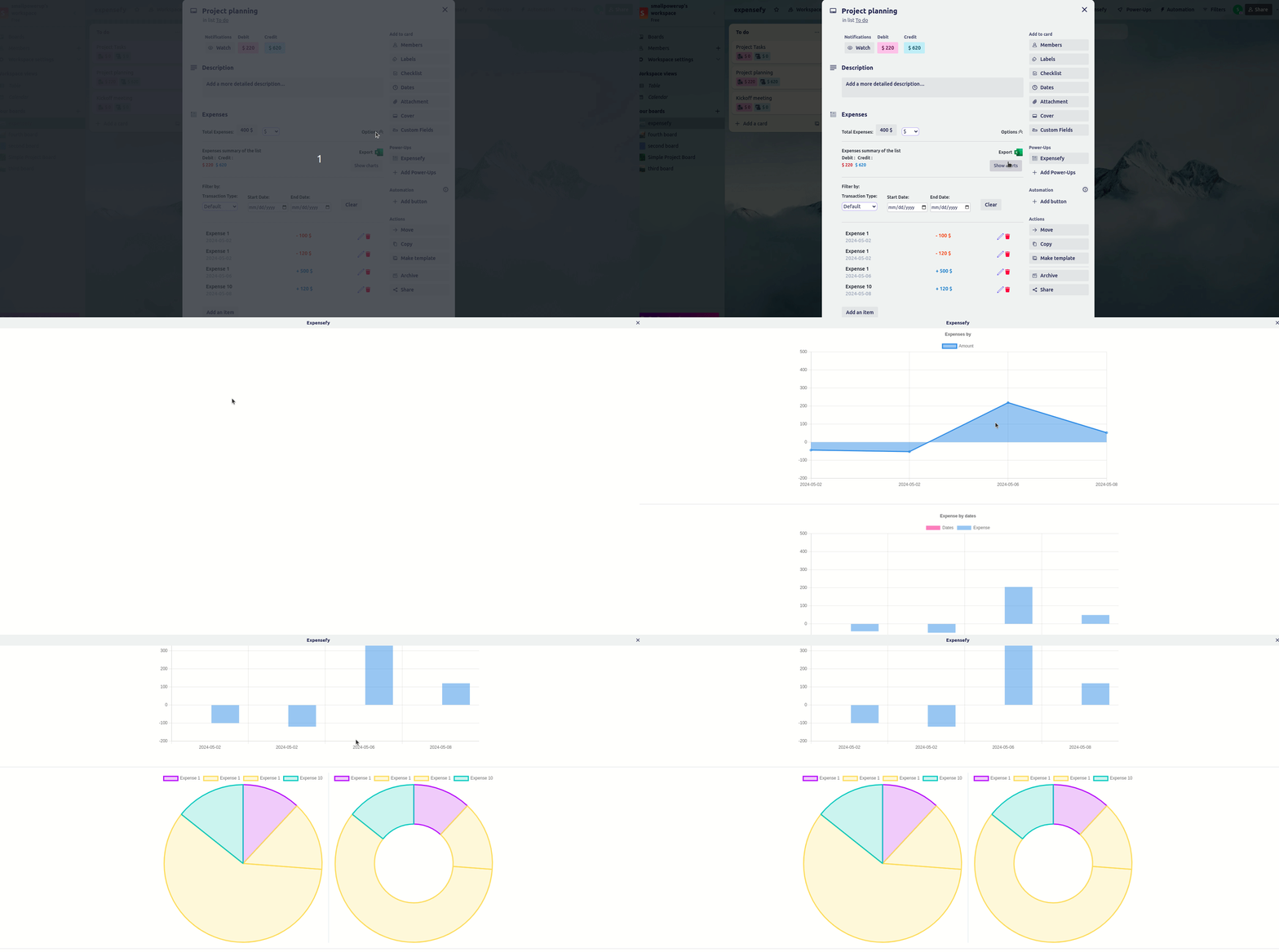
Visualize spending with charts
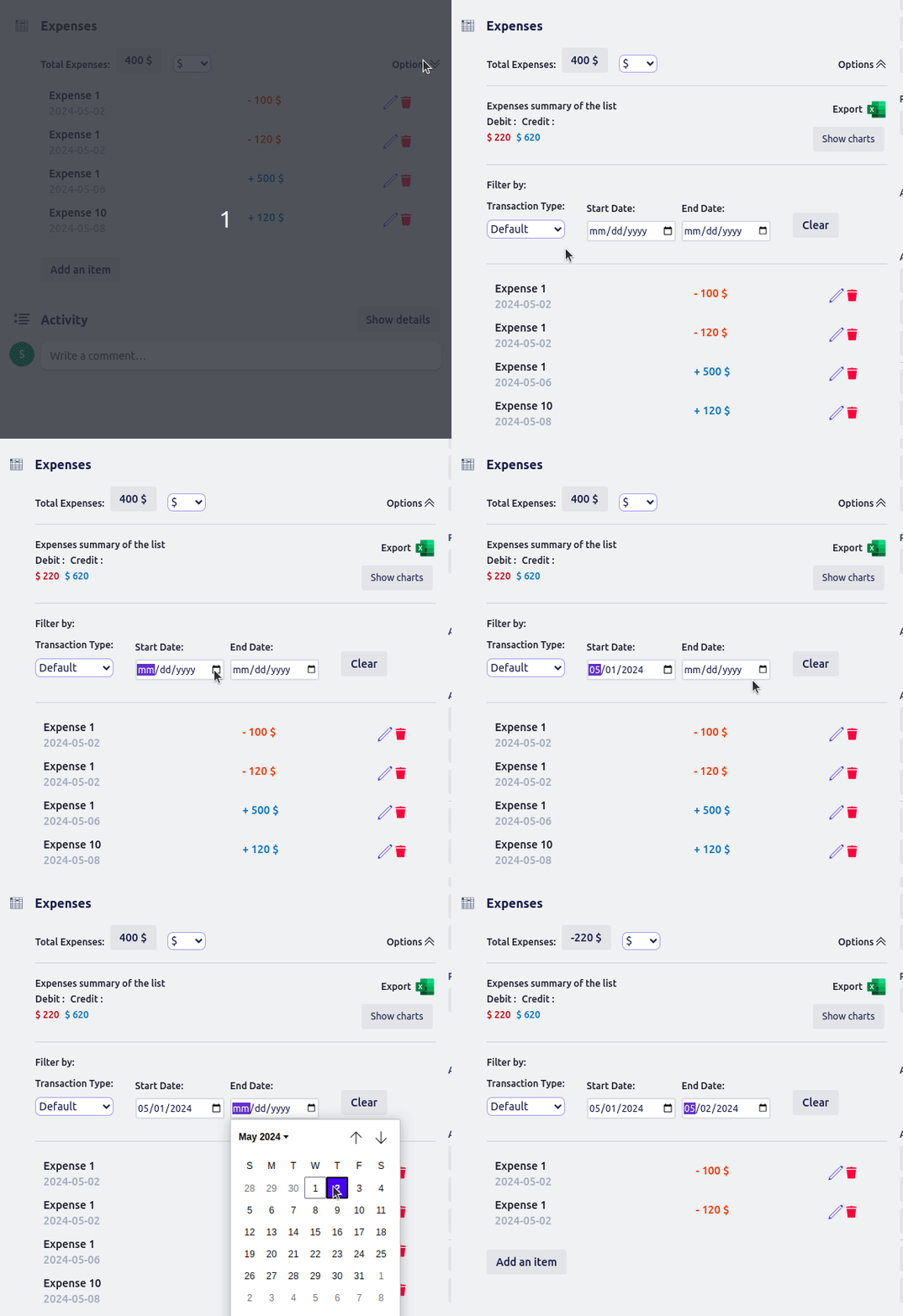
Powerful filtering by date
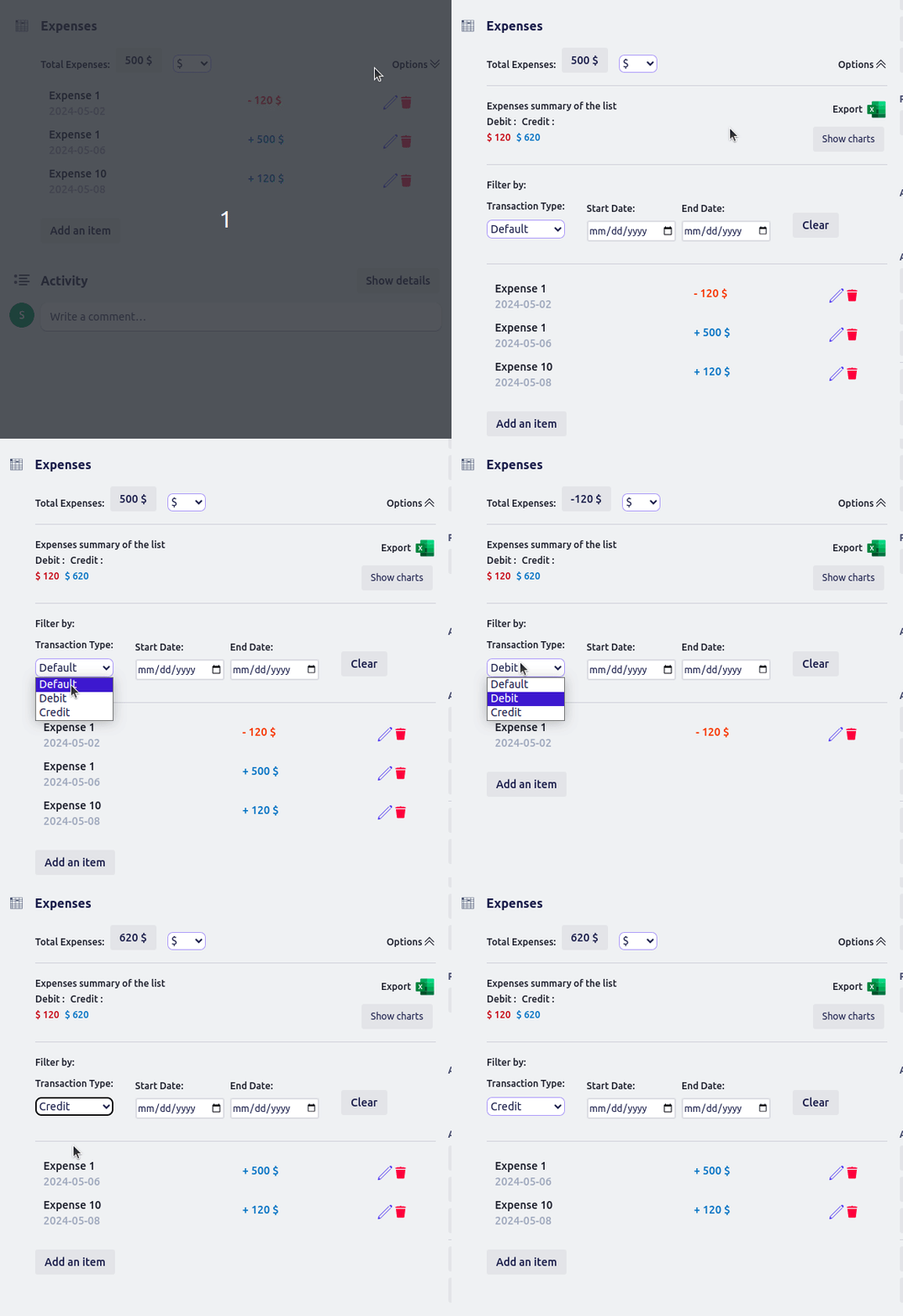
Filter expenses by category (debit or credit)
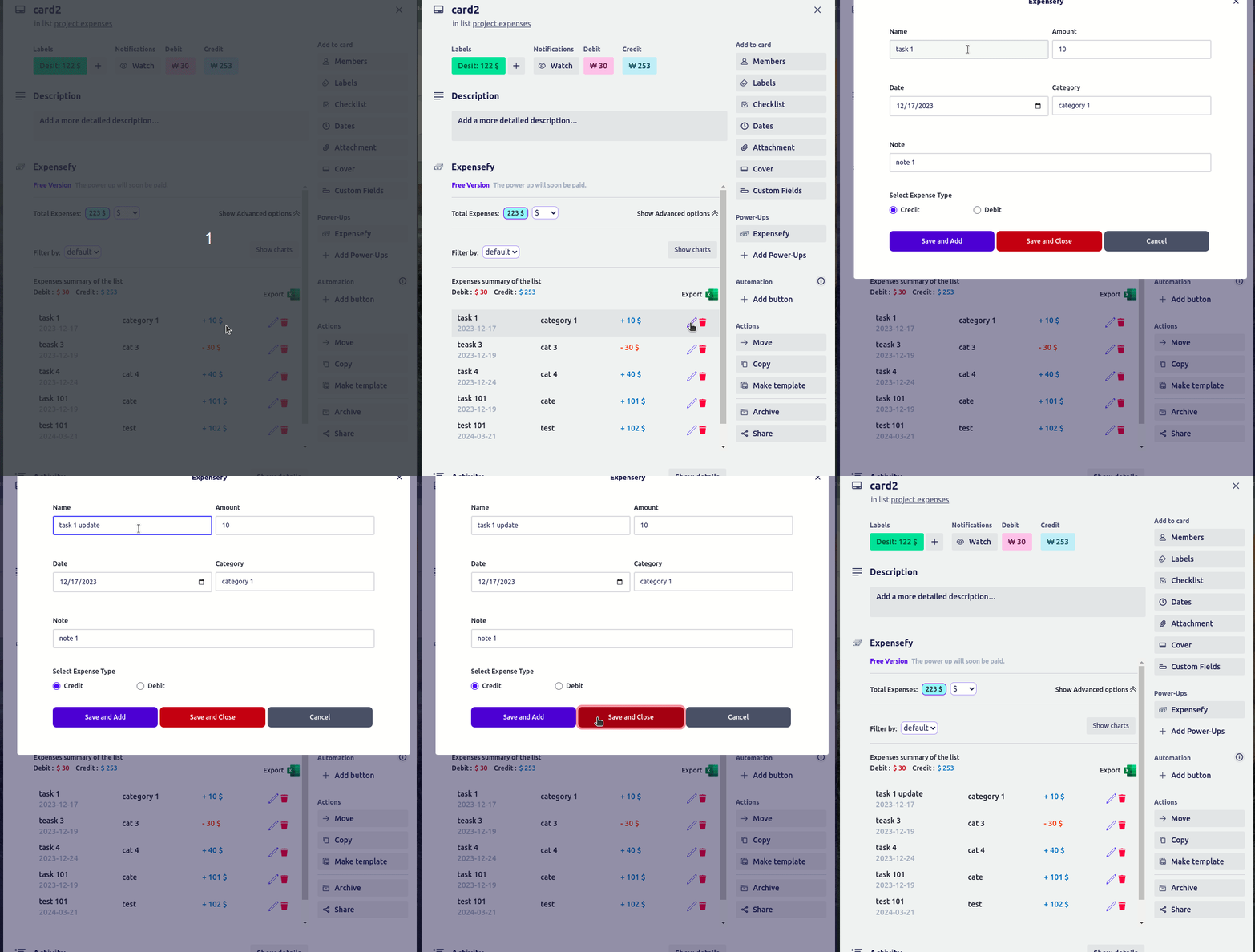
Easily update an expense on the card
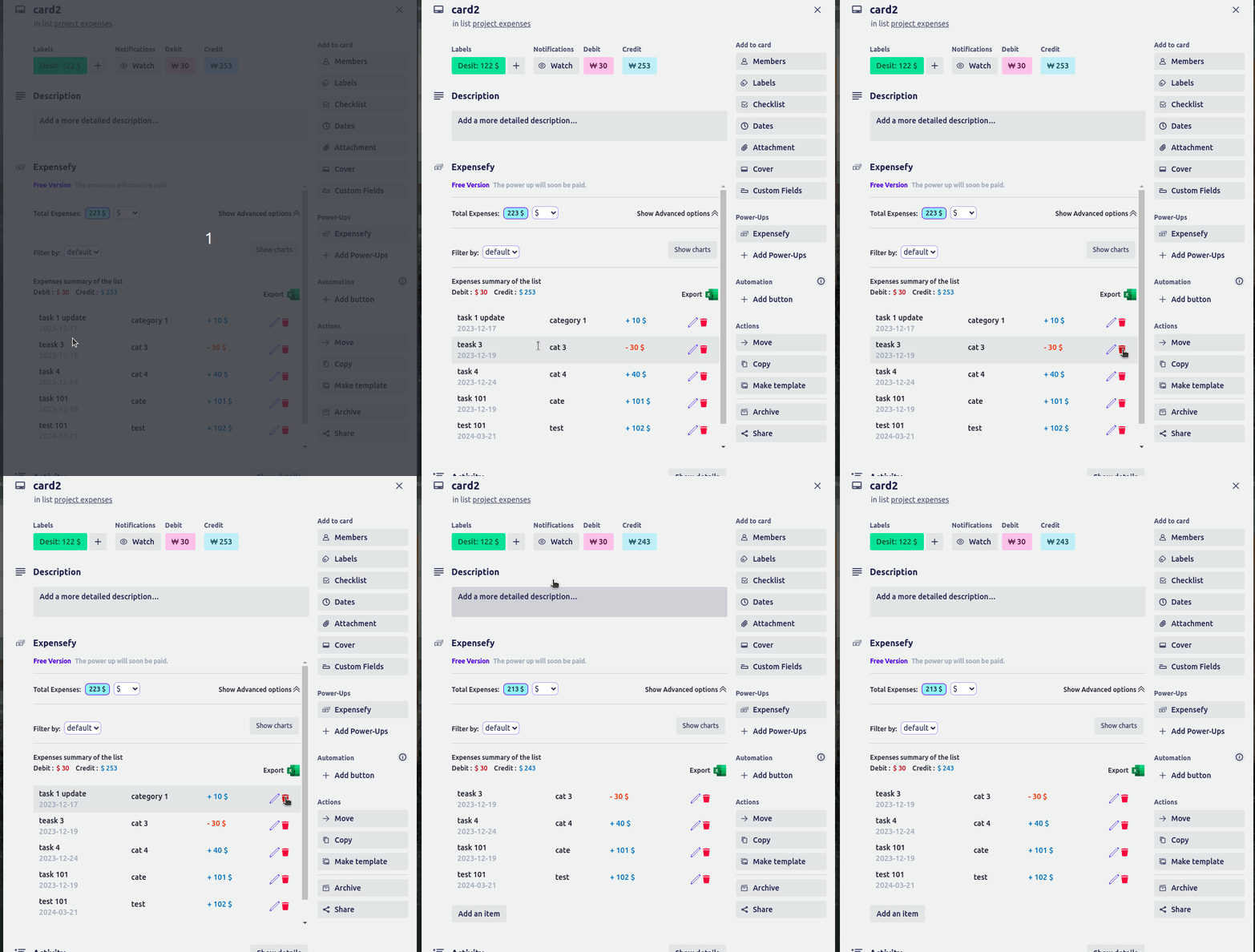
Delete an expense from the list
Budgets, and what is left to spend (Pro)
Every expense on the board, in one dashboard (Pro)
Recurring expenses (Pro)
Receipts attached to the expense, not just the card (Pro)
A total for the whole list, not just the card
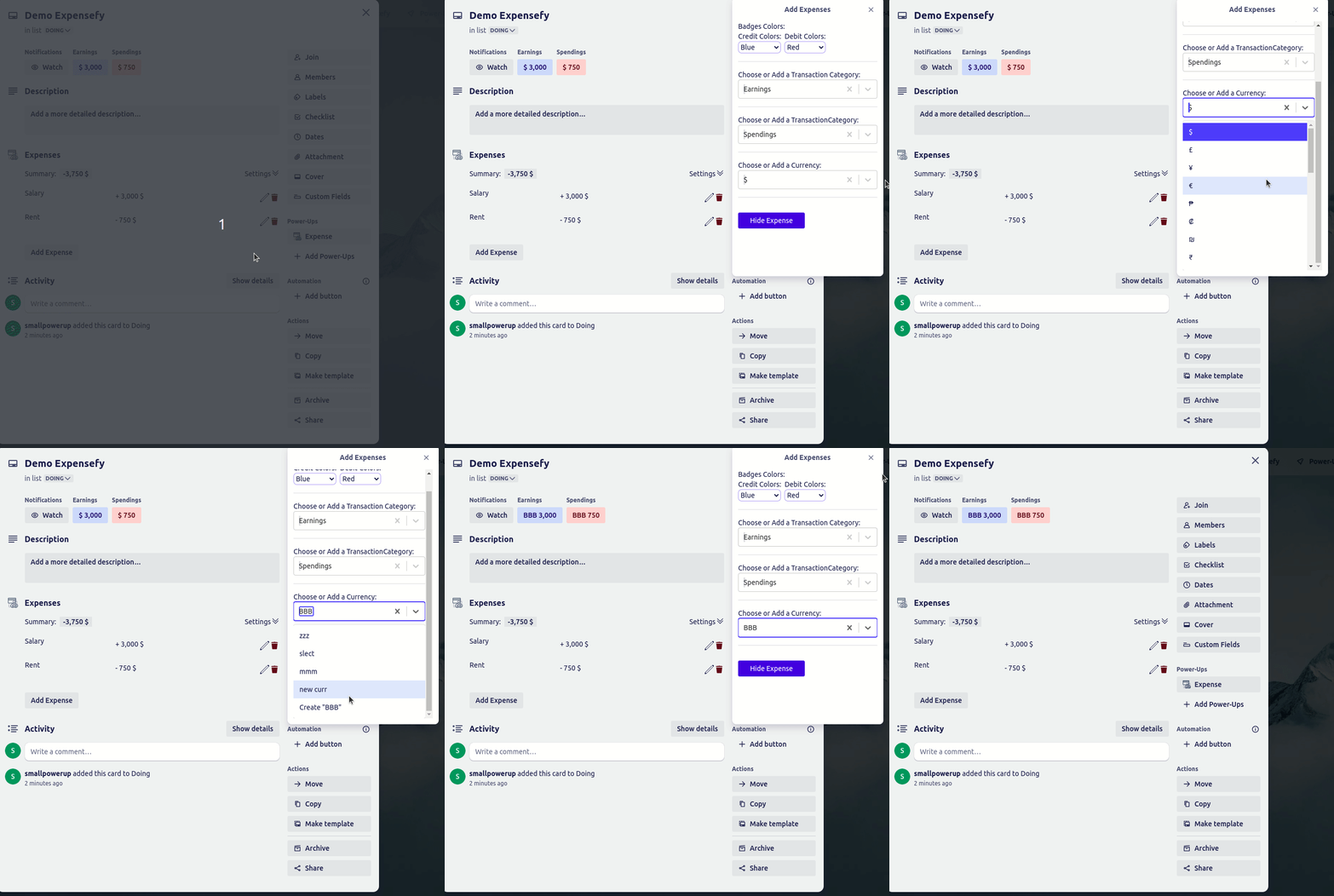
Add and manage your own currencies
Hide credit and debit from the card face
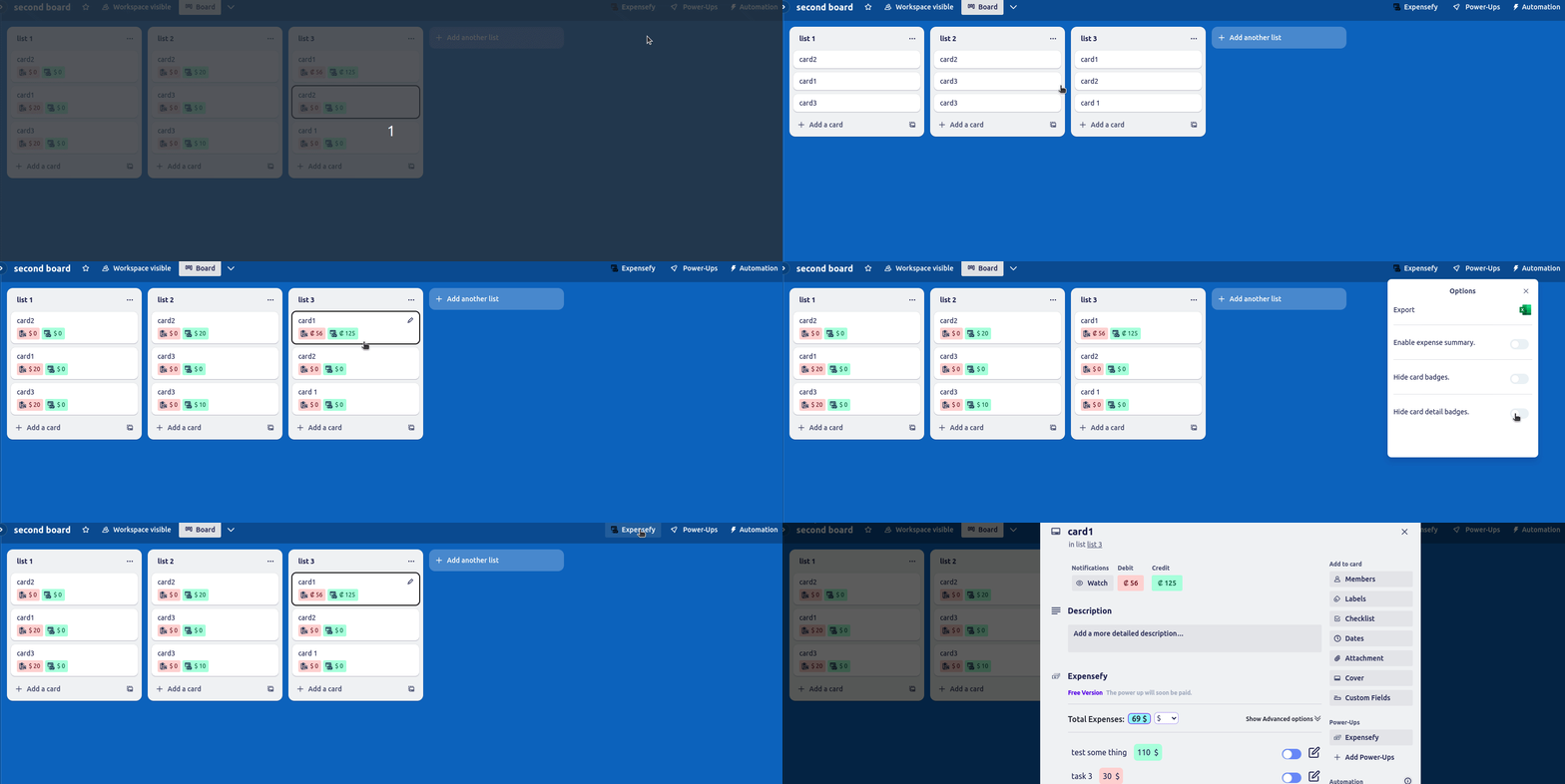
Choose exactly which badges appear
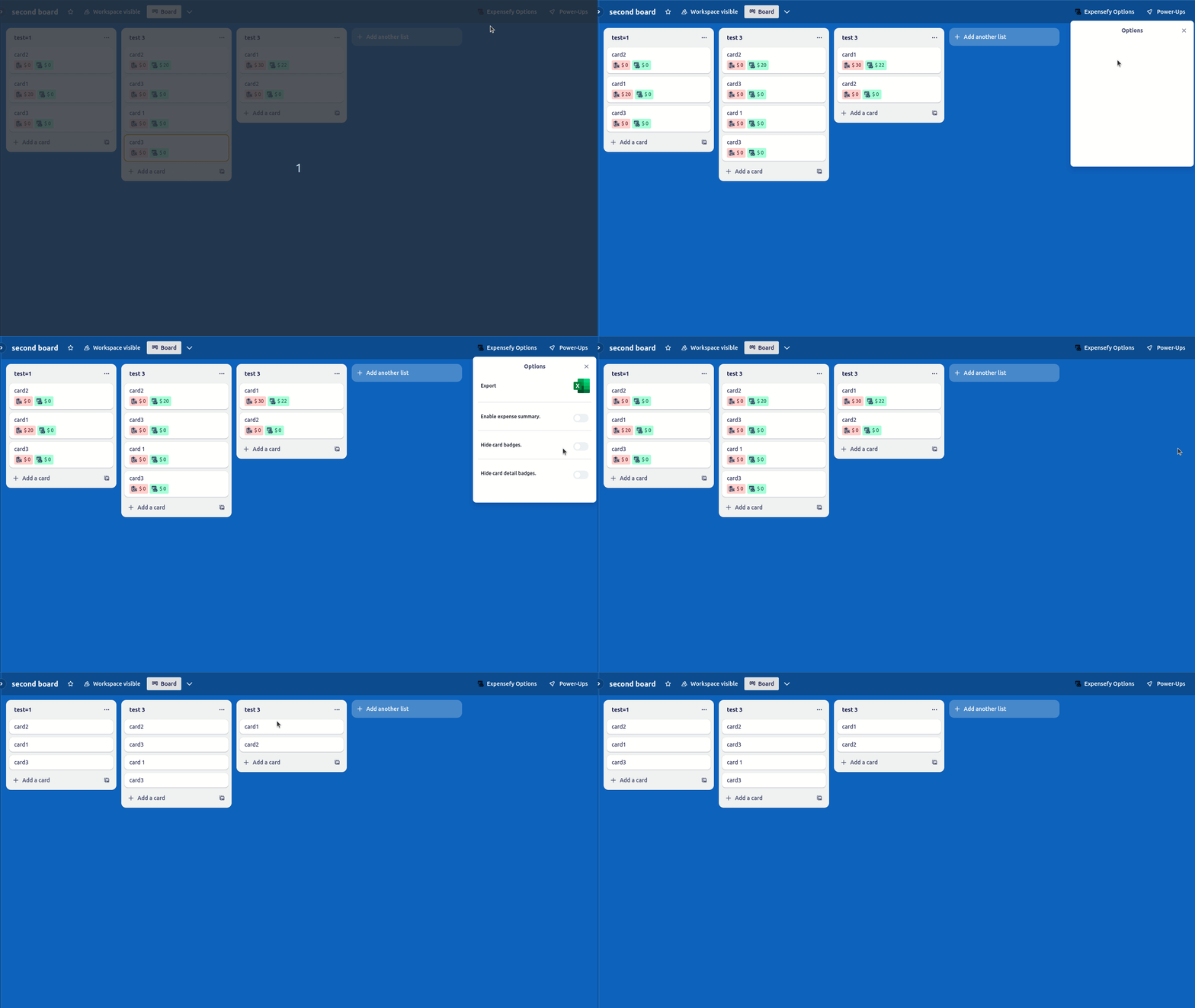
Export a card to an Excel sheet
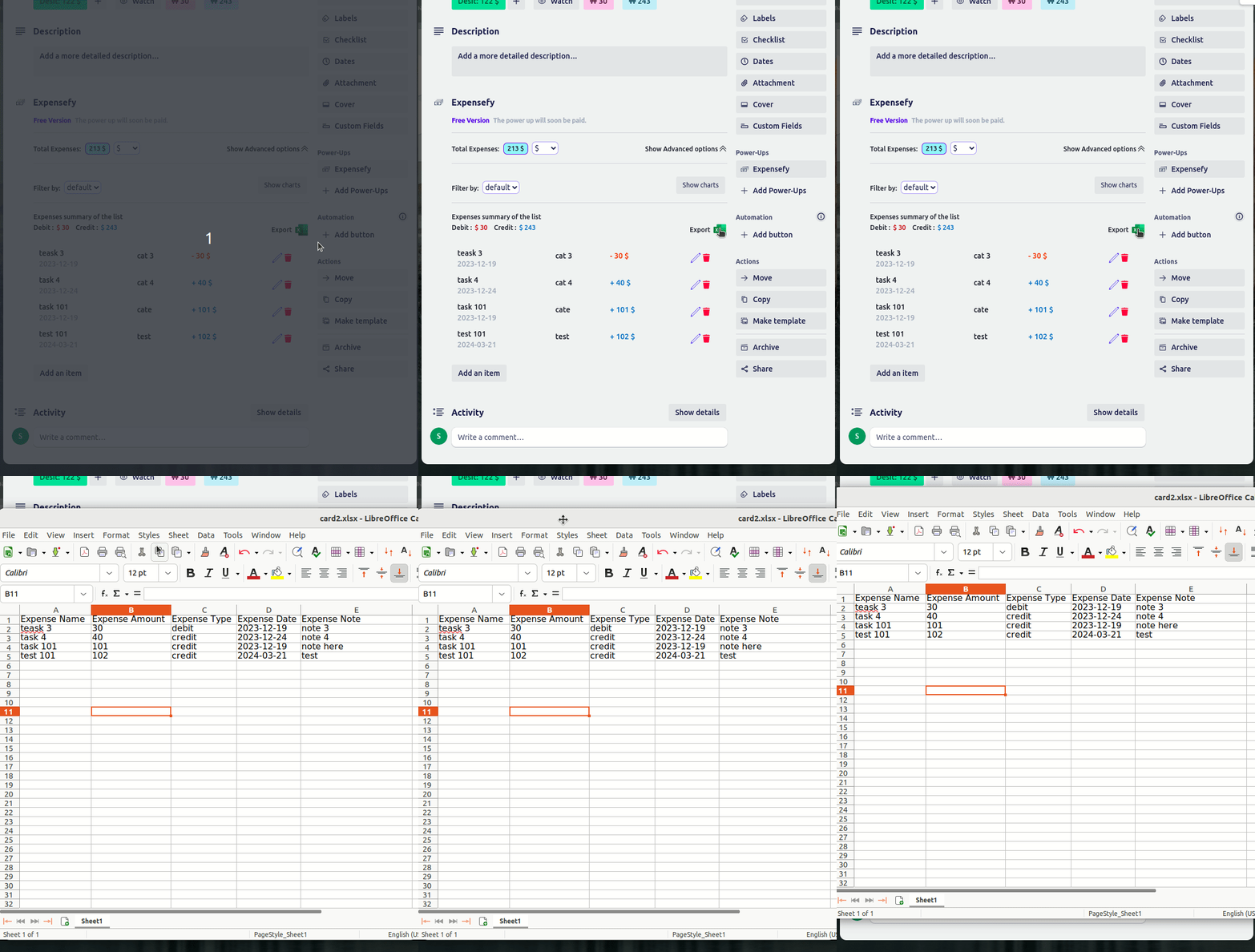
Export every expense on the board (Pro)
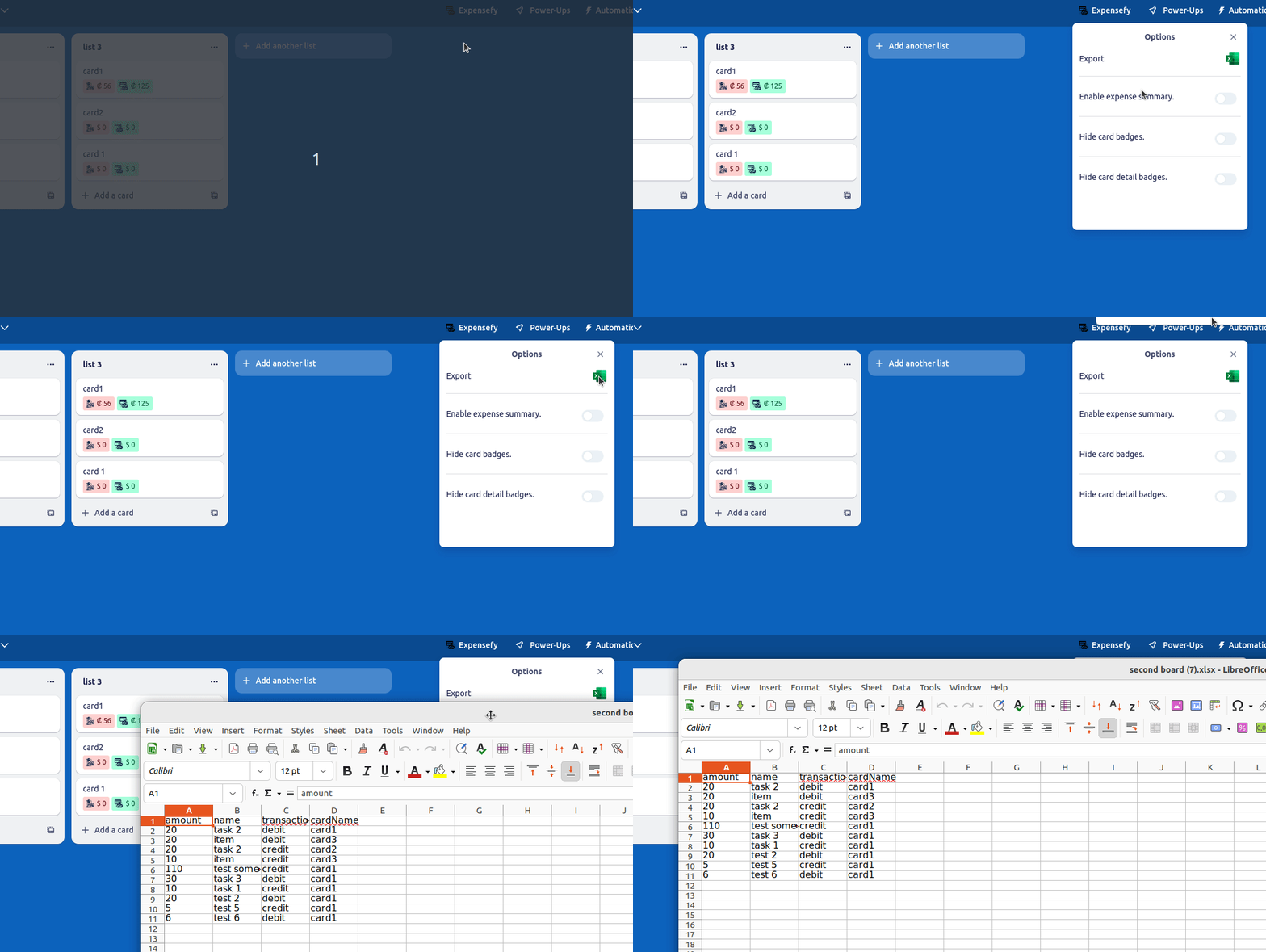
Dark and light mode
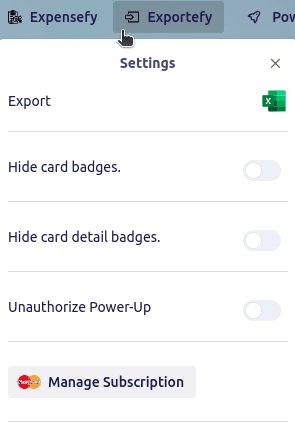
Free to start, and your data is never held hostage
Stripe Customer Portal
Try Expensefy on your own board
Installs in seconds from the Trello directory. Full access for 7 days — cancel before it ends and you pay nothing.
Start my free trial of ExpensefyQuestions before you start
Is Expensefy free to try?+
Yes. Every plan starts with a 7-day free trial with full access to every feature. You can cancel at any point during the trial and you will not be charged.
How much does Expensefy cost after the trial?+
Expensefy on its own is $5.99/month or $49/year. If you use more than two of our Power-Ups, the All Power-Ups bundle is better value at $12.99/month or $99/year and includes everything we make.
Do I pay per person, or is there a Workspace plan?+
Both. A personal subscription covers you across unlimited boards and workspaces. For a whole team, a Trello workspace admin can buy a Workspace plan for $9.99/month from inside the Power-Up. It covers everyone in that workspace on every board, with no per-seat counting, so it is cheaper than individual plans from 2 people up. The Workspace plan is for one Power-Up.
Can I cancel whenever I want?+
Yes. Manage or cancel your subscription yourself in the Stripe customer portal, reachable from inside the Power-Up. There is no contract and no cancellation fee.
Does Expensefy work with the rest of my board?+
Expensefy installs from the Trello Power-Up directory and works inside your existing boards. There is nothing to configure, no separate account to create, and it supports Trello's dark mode.
What happens to my data?+
Your board data stays in Trello. We do not sell it, and we do not need to see it to do our job. Full details are in our privacy policy.
Teams using Expensefy also add
All of these are included in the $12.99/month bundle.
- I
Invoicefy
FinanceCreate, manage, and track invoices right from your Trello cards, keeping billing in the same place as the work.
7-day free trial
- E
Excelefy
Data ExportExport and import your Trello cards to and from Excel in a couple of clicks — ideal for data-heavy projects or migrating cards between boards.
7-day free trial
- W
Wordefy
DocumentationTurn any Trello card into a fully formatted Word document — perfect for reports, briefs, or detailed documentation.
7-day free trial
Need Expensefy to do something it doesn't?
We build custom Power-Ups and take on feature requests. Tell us what you need and we'll reply within 48 hours with feasibility and a rough estimate.
Talk to us about custom work →Expensefy
7-day free trial · from $5.99/mo